пятница, 6 января 2023 г.

Creating a simple foreign data wrapper for PostgreSQL

Today I'd like to describe how to create own minimal usable foreign data wrapper (FDW) for PostgreSQL.

Common information about FDW interfaces

I suppose you know C and have basic PostgreSQL DBA experience. Foreign data wrapper (FDW) is a mean of accesssing another data sources from PostgreSQL DBMS. In this article I'll walk you through writing minimal usable FDW (mufdw). Going through mufdw code, I'll show you how you can use PostgreSQL FDW API (its description you can find in the official documentation).

To access another data source you define FDW by specifying its name, validator function and handler function like this

CREATE FOREIGN DATA WRAPPER mufdw
  HANDLER mufdw_handler
  VALIDATOR mufdw_validator;
Both handler and validator are SQL functions. A validator is called when user mapping, foreign server or foreign table is created or modified to check if option is valid for the object. A handler just returns a struct, containing methods defining FDW (FdwRoutine). Most FDW will do foreign data wrapper creation behind the scenes when you create extension, so for administrator this could look like
CREATE EXTENSION mufdw;
Next you should define a foreign server, which basically specifies a remote server host in one or another way. For example, you can define host name, port and database name in foreign server options. Our sample mufdw allows to query another table in the same database. So server definition doesn't define any options and you can create server simply by
CREATE SERVER loopback FOREIGN DATA WRAPPER mufdw;
Now we have to define user mapping - how local user should access remote data source. Usually user mapping definition includes authentication information - like remote user name and password. As our minimal usable fdw will just wrap local tables and use the same user for scanning them (via SPI interface), our user mapping will be formal:
CREATE USER MAPPING FOR PUBLIC SERVER loopback;
Let's create a plain table which will be used as a source for our foreign table.
CREATE TABLE players(id int primary key, nick text, score int);
INSERT INTO players SELECT i, 'nick_'||i, i*10 from generate_series(1,10) i;
Foreign table is actually an object which behaves mostly like normal table, but provides access to remote data. In foreign table definition we provide options, necessary to identify this data. In our case it's local table and schema name.
CREATE FOREIGN TABLE f_players (id int, nick text, score int) server loopback options (table_name 'players', schema_name 'public');
Now we can query data from our foreign table.
SELECT * FROM players ;
 id |  nick   | score 
----+---------+-------
  1 | nick_1  |    10
  2 | nick_2  |    20
  3 | nick_3  |    30
  4 | nick_4  |    40
  5 | nick_5  |    50
  6 | nick_6  |    60
  7 | nick_7  |    70
  8 | nick_8  |    80
  9 | nick_9  |    90
 10 | nick_10 |   100
(10 rows)

What happens when you query a foreign table? PostgreSQL planner firstly looks if a table used in query is a foreign table and looks for its foreign server FdwRoutine. Pointer to FdwRoutine is recorded in RelOptInfo structure, which is used in planner to represent relation. This work is done in get_relation_info() function. Firstly planner access our fdw methods when looks for relation size in set_rel_size() (which is called for each base relation in the begining of planning (make_one_rel()). set_foreign_size() calls GetForeignRelSize() to find out relation size after applying restriction clauses. When planner generate possible paths to access a base relation in set_rel_pathlist(), it calls GetForeignPaths() function from RelOptInfo->fdwroutine to generate foreign path. Access paths are used by planner to find out possible strategy to access relation. Usually for foreign tables there will be no another paths besides foreign path. For join relation there could be several paths - foreign join path and several local join paths (for example, using nestloop or hash join method). If foreign path is the best access path for a particular relation, GetForeignPlan() function from its fdwroutine will be called to generate ForeignScan plan in create_foreignscan_plan(). Executor executes ForeignScan plan. When it initializes foreign scan state, BeginForeignScan() is called. Later tuples are fetched as needed by executor in IterateForeignScan(). If it's necessary to restart foreign scan from begining, ReScanForeignScan() is called. When relation scan is ended, EndForeignScan() is called.

Mufdw implementation

Let's look at how the minimal set of functions needed by read-only FDW is implemented in mufdw.

The basic logic behind mufdw is simple. For each foreign table we provide table name and table schema as foreign table options. When user queries remote table we open SPI cursor and fetch data from local table, identified by these schema and name. Query text is saved in foreign scan private field during planning. In BeginForeignScan() we create cursor for later use. IterateForeignScan() fetches one tuple from it and saves in executor state node scan slot. Here node is a basic "class"-like hierarchical structures used in PostgreSQL source code.

GetForeignRelSize() function

void GetForeignRelSize(PlannerInfo *root, RelOptInfo *baserel, Oid foreigntableid)

This methods obtains relation size estimates for a foreign table. Here root is the planner information about the query, baserel - information about the table and foreigntableid is the Oid of the foreign table. In this function we have to fill in baserel->tuples and baserel->rows. baserel->fdw_private can be initialized and used for private fdw purposes.

In mufdw it is implemented as mufdwGetForeignRelSize(). mufdwGetForeignRelSize() basically allocates memory for relation fdw_private structure, searches in foreign table options for "table_schema" and "table_name" and saves them for further use. It also makes minimal effort to estimate relation size, but in fact it gives default estimations, as we don't gather any statistic for mufdw foreign table.

GetForeignPaths() function

void GetForeignPaths(PlannerInfo *root, RelOptInfo *baserel, Oid foreigntableid)

This function should create foreign path and add it to baserel->pathlist. It's recommended to use create_foreignscan_path to build the ForeignPath. Arguments are the same.

In mufdw it is implemented as mufdwGetForeignPaths(). It creates basic foreign scan path and adds it to the relation path list. Cost is estimated as a sequential scan. These estimates are not accurate in any way.

GetForeignPlan() function

ForeignScan *GetForeignPlan(PlannerInfo *root, RelOptInfo *baserel, Oid foreigntableid, ForeignPath *best_path, List *tlist, List *scan_clauses, Plan *outer_plan)

This function is called in the end of query planning and should create a ForeignScan plan node. It is passed foreign path, generated by GetForeignPaths(), GetForeignJoinPaths() or GetForeignUpperPaths(). We also get the target list, which should be emitted by plan node, restriction clauses to be enforced and outer subplan of the ForeignScan.

In mufdw it is implemented as mufdwGetForeignPlan(). We put all scan clauses in the plan node qual list for recheck as mufdw doesn't perform "remote" filtering. Function gets scan clauses as list of RestrinctInfo nodes, but should use expression list for plan quals. extract_actual_clauses() is used to perform this transformation. Also we construct simple "SELECT *" query to extract data from plain table. fdw_private foreignscan field should be a list of nodes, so that copyObject() could copy them. So we wrap our C string, representing query, into String node and create fdw_private as single-member list.

BeginForeignScan() function

void BeginForeignScan(ForeignScanState *node, int eflags)

This function is called to begin foreign scan execution. It can, for example, establish connection to DBMS. Note that function will also be called when running explain for a query (in that case (eflags & EXEC_FLAG_EXPLAIN_ONLY) is true). When called from explain, function should avoid doing any externally visible actions.

In mufdw it is implemented as mufdwBeginForeignScan(). Here we create cursor for the query, constructed during plan creation and initialize internal scan state with its name. Our local open_new_cursor() function opens cursor for query using SPI and returns name of corresponding portal. The issue here is that SPI context is transient, we can't use memory, allocated in this context, in other parts of program, so should copy it to our old context.

IterateForeignScan function

TupleTableSlot *IterateForeignScan(ForeignScanState *node)

This function is used to fetch one tuple and return it in ForeignScanState's tuple slot.

In mufdw it is implemented as mufdwIterateForeignScan(). Firstly we clear tuple slot, search for our SPI cursor and fetch one tuple from it. If there's no data, it will be enough. If there is some data, we deform SPI tuple to slot's array of values and nulls and call ExecStoreVirtualTuple() to store it. The only issue is that it should be materialized, as SPI tuple will be released when SPI context is destroyed.

ReScanForeignScan function

void ReScanForeignScan(ForeignScanState *node)

This function is used to restart scan from the begining.

In mufdw it is implemented as mufdwReScanForeignScan(). It just closes old cursor and opens new one for our query, stored in foreign scan internal state.

EndForeignScan function

void EndForeignScan(ForeignScanState *node)

This function should just end scan and release resources.

In mufdw it is an empty function. We don't explicitly release resources as they will be released when transaction ends.

fdw_handler function

fdw_handler is just a SQL function which should return pointer to FdwRoutine structure, which contains references to FDW functions, which we've just described.

In mufdw it's implemeted as mufdw_handler(). Only functions, necessary for qeurying foreign tables, are implemented.

fdw_validator function

fdw_validator checks options, used during CREATE or ALTER statements for foreign data wrapeprs, foreign servers, user mappings and foreign tables. It gets list of options as an array of text as the first argument and OID representing the type of object the options are associated with. OID can be ForeignDataWrapperRelationId, ForeignServerRelationId, UserMappingRelationId, or ForeignTableRelationId.

In mufdw it's implemented as mufdw_validator. It allows only "table_name" and "schema_name" options for foreign tables and doesn't check options for other objects.

SQL code

We need a bit of SQL code to glue this all together. We should create sql-level functions for validator and handler and create foreign data wrapper. For mufdw it's done in its extension script.

Afterword

We looked at how you can create a simple read-only foreign data wrapper in C, analyzing mufdw sample foreign data wrapper. I hope, this was useful, or at least interesting.

четверг, 3 марта 2022 г.

Ukraine: Why it's happening

I'm not a politician or an analyst, but I wanted to share my point of view. I read BBC news and see nothing related to reality. However, FoxNews gave some adequate explanations, but I'm not sure they were heard. So, briefly, what's happening and why it's happening. Perhaps, at least my EU or US friends will read this. And as Russian citizen I'm not pretending to be objective.

  • Politics has always been dirty and cinic. Peace is only possible when there is a balance of forces in the region or when one state suppresses all other. In later case peace is usually not stable (we can recollect Iraq or Serbia here - tragedies there were only possible because one state considered itself (and was) a super-power). Moreover, peace in Europe for 70 yeears was possible only because major competitors in the Cold War had nuclear weapons and so had to tolerate each other.
  • A war is always terrible. Especially when it's a war with brother nation. And a lot of Russian people do have relatives and friends in Ukraine, so war with Ukraine is very painful for all sane Russians.
  • But this is not a war against Ukraine, although Ukraine suffers most from this war. It's a conflict with USA, NATO and EU.
  • This conflict has begun not on 24th or 21st of February, and even not in 2014. It began in 2008, when NATO targeted at incorporating Georgia and Ukraine.
  • Ukraine has chosen a side in this conflict not in 2022, but in 2013, when legal pro-Russian government was deposed. Pro-western government was established. Likely this government was popular that days. A course for EU integration and collaboration with NATO was chosen.
  • Russia, seeing this as a threat, secured Sebastopol Naval base by annexing Crimea (and local people appreciated this). The second action was to support separatists in Donbass. They were Russians, and we protected them, and this weakened now pro-western Ukraine. If you want to know more about how Ukraine treated them, you can look at the document linked below.
  • During last 6-7 years Russia has made attempts to arrange an agreement with US (and NATO) on the Ukranian crisis. Minsk agreements were signed in 2015, but were not respected by Ukraine or its partners.
  • Escalation of this crisis has begun in 2021. Not sure why. Likely during this period NATO started to ship war drones to Ukraine (besides other weapon). This made our government concerned. And instead of negotiations, we got several provocations - like UK warship in our waters. What would happened if our border guards flooded it? Don't want to consider. But the one sending it there was likely mad.
  • Presence of NATO forces in Georgia and Ukraine is considered an existencial threat for Russia. And our government has shown that it's ready to military actions if this possibility becomes more real in 2008 during crisis in Georgia.
  • NATO declares that Ukraine is not considered as a possible NATO member. But current world-wide support contradicts this. Ukraine de-facto is treated as NATO member.
  • It's clear that both sides (USA and Russia) have been preparing for this conflict for long (it seems to me, since last December).
  • The last straw (it appears) was the declaration of Ukraine president that his country will leave Budapest Memorandum. Besides all, Budapest Memorandum forbids Ukraine to have nuclear weapon.

Everyone can see what happened next. But don't consider that this war has begun in February. Everything is much deeper and harder. Absence of good will from NATO (and first of all, from USA) and irresponsible behavior of Ukranian government has lead to situation which could be avoided. In Russia we like to blame Stalin that he didn't prepare for the WWII. So, for Russian people this is the 21st June. A strike back just a day (or, likely, a decade) before NATO strike. This is not a liberation of Ukraine, but a war for safety of our borders. So in this situation we will not listen for calls for peace until Ukraine will not be a threat for Russia. Again, by no means, this is not a war against Ukranian people. This is a war agains their anti-russian elite and government. This is a war for peace near our borders. And as most Russian people see current Ukranian government an immediate threat to Russia, this war will continue until it reaches its objectives - destruction of nationalists in Ukraine. Once again, we didn't want to bring war to Ukranian civilians. It's a tragedy that they are suffering. It's a tragedy to see Ukranian cities damaged. I'm sure we'll win soon. But the sooner West stops supporting the current Ukraine government, the sooner peace will come to that land. And I hope, when everything ends, we'll help Ukranians to reconstruct their cities. But this will not ressurect dead.

For people, who want more context, I'm attaching a Russian Foreign ministry brochure - what was happening for 8 years in Ukraine and what Western countries didn't want to listen about.

вторник, 21 мая 2019 г.

One big Oracle ASM adventure

Well, this has happened long ago, but as I'm going to decomission http://dbseminar.r61.net, I think this information should be moved here...

Originally posted on on Tue, 04/07/2009


I had very unpleasant experience with RAC and ASM. I'd like to share it. Yesterday after VMware ESX Server upgrade (and maybe unsuccessfull live motion operations on one of two RAC nodes) I had the following records in asm instance alert log:
SQL> ALTER DISKGROUP ALL MOUNT
Mon Apr  6 15:48:52 2009
NOTE: cache registered group DATA number=1 incarn=0x3ad84292
NOTE: cache registered group FRA number=2 incarn=0x3b084293
NOTE: cache registered group LOGS number=3 incarn=0x3b084294
Mon Apr  6 15:48:52 2009
ERROR: no PST quorum in group 1: required 2, found 0
Mon Apr  6 15:48:52 2009
NOTE: cache dismounting group 1/0x3AD84292 (DATA)
NOTE: dbwr not being msg'd to dismount
ERROR: diskgroup DATA was not mounted
Mon Apr  6 15:48:52 2009
ERROR: no PST quorum in group 2: required 2, found 0
Mon Apr  6 15:48:52 2009
NOTE: cache dismounting group 2/0x3B084293 (FRA)
NOTE: dbwr not being msg'd to dismount
ERROR: diskgroup FRA was not mounted
Mon Apr  6 15:48:52 2009
ERROR: no PST quorum in group 3: required 2, found 0
Mon Apr  6 15:48:52 2009
NOTE: cache dismounting group 3/0x3B084294 (LOGS)
NOTE: dbwr not being msg'd to dismount
ERROR: diskgroup LOGS was not mounted

...
Diskgroups disappeared, and asm didn't want to see them. However, I could see /dev/sd* disks, where diskgroups were placed, and permissions were right: disks were owned by oracle user. select * from v$asm_diskgroup ; gave nothing and select path,header_status from v$asm_disk ; said that all disks were in provisioned state. It was awful, but in the end I've found sollution. I've noticed that kfed sees diskgroup and other attribute on the affected disks, but parameter kfdhdb.acdb.ub2spare is not 0 (as I found in Internet, it was its usual state). So I've dumped header info:
$ kfed read /dev/sdf > /tmp/sdf.noop.mod
$ vi /tmp/sdf.noop.mod  #Changed kfdhdb.acdb.ub2spare to 0
$ kfed op=write dev=/dev/sdf text=/tmp/sdf.noop.mod CHKSUM=YES
After this I could do "alter diskgroup fra mount" in asm instance, repeated this procedure for DATA asm diskgroup, after that I could mount diskgroups and recover my database. In conclusion I wish say that we are going to move our fra to OCFS2 fs the next weekend.

суббота, 20 октября 2018 г.

What is my sftp server doing?

Well, I'm not familiar with DTrace, but sometimes want to find, what some application is doing. In this case I wanted to monitor my sftp server. Luckily, most illumos distributions provide dtrace patch (coming from Oracle Solaris) to find this out. Unluckily, I haven't found any documentation on it, just source code. After reading Translators chapter of DTrace Guide and looking at /usr/lib/dtrace/sftp.d I've come to this:
dtrace -n 'sftp*:::transfer-done { printf ("%d: %s %s %s %d", pid, xlate <sftpinfo_t *>((sftpproto_t*)arg0)->sfi_pathname, xlate <sftpinfo_t *>((sftpproto_t*)arg0)->sfi_user, xlate <sftpinfo_t *>((sftpproto_t*)arg0)->sfi_operation, xlate <sftpinfo_t *>((sftpproto_t*)arg0)->sfi_nbytes  ); }'

dtrace: description 'sftp*:::transfer-done ' matched 8 probes
CPU     ID                    FUNCTION:NAME
  1  80412      process_read:transfer-done 7409: /export/home/user/1.pp user read 1808
  1  80412      process_read:transfer-done 7409: /export/home/user/1.pp user read 0
  1  80411     process_write:transfer-done 7409: /export/home/user/1.pp user write 1808
  1  80412      process_read:transfer-done 7409: /export/home/user/dtrace/poll.d user read 53
  1  80412      process_read:transfer-done 7409: /export/home/user/dtrace/poll.d user read 53

Seems rather interesting to me.

четверг, 30 августа 2018 г.

Quest: creating one hundred zones

Well, I need to create about one hundred zones once again. You could probably use ansible for this, but an old-fashioned man will do everything in shell. So: we have one "golden image" and have to create 100 zones like it. We could clone it, but with clones you receive wonderful issue - beadm activate fails in zone. So we create zones and do send/receive manually. This looks like this:
#!/bin/bash
set -e

for i in $(seq 1 100); do 

    #Creating interface for the zone
    dladm create-vnic -l e1000g1 hnet$i

    #Creating initial config   

    TEMPFILE=$(mktemp /tmp/XXXXXXXXXXXXXXXXXX)
    cat > $TEMPFILE <<EOF
create -b
set zonepath=/zones/h$i
set autoboot=true
set ip-type=exclusive
add net
set physical=hnet$i
end
add capped-memory
set physical=2G
end
add rctl
set name=zone.max-swap
add value (priv=privileged,limit=2147483648,action=deny)
end
add rctl
set name=zone.max-locked-memory
add value (priv=privileged,limit=536870912,action=deny)
end
EOF

    zonecfg -z h$i -f $TEMPFILE
    zfs send -R data/zones/h0@initial | zfs recv -F data/zones/h$i
 
    # Zone tools should know that zone is in installed state, not configured
    # Also during installation zoneadm assigns uuid to zone (last field). We do this manually.
    uuid=$(uuidgen)
    gsed -i  -e "/^h${i}:/ s/\$/${uuid}/" -e "/^h${i}:/ s/configured/installed/" /etc/zones/index
    zoneadm -z h$i mount

    # We known that golden image ip address  ends in 254 and change it
    addr=$((1+$i))
    sed -i -e "s:hnet0:hnet$i:g" -e "s:\.254:.$addr:g" /zones/h$i/root/etc/ipadm/ipadm.conf
    zoneadm -z h$i unmount
    zfs destroy data/zones/h$i@initial
    rm $TEMPFILE
    zoneadm -z h$i boot
done

суббота, 10 февраля 2018 г.

пятница, 13 октября 2017 г.

Does ip belong to network?

It's so easy to check if IP belong to network... Until you start doing this in shell. I've tried and finally got this. This version works in bash, dash and ksh... Good enough for me, but perhaps it could be optimized a bit to avoid cut usage. Our function gets two parameters - ip address and network in address/netmask format. In fact we compare IPaddress & netmask and IPnetwork & netmask.
#!/bin/sh

belongs_network ()
{
   addr=$1
   network=$2

   netaddr=`echo $network | cut -d / -f 1`
   netcdr=`echo $network | cut -d / -f 2`

   a1=$(echo "$addr" | cut -d . -f 1)
   a2=$(echo "$addr" | cut -d . -f 2)
   a3=$(echo "$addr" | cut -d . -f 3)
   a4=$(echo "$addr" | cut -d . -f 4)

   n1=$(echo "$netaddr" | cut -d . -f 1)
   n2=$(echo "$netaddr" | cut -d . -f 2)
   n3=$(echo "$netaddr" | cut -d . -f 3)
   n4=$(echo "$netaddr" | cut -d . -f 4)

   ares=$((($a1*256*256*256+$a2*256*256+$a3*256+$a4)>>(32-$netcdr)))
   nres=$((($n1*256*256*256+$n2*256*256+$n3*256+$n4)>>(32-$netcdr)))

   if [ $ares -eq $nres ] ; then
     return 0
   else
     return 1
   fi
}

if belongs_network 10.208.103.255 10.208.128.0/17; then
  echo "belongs"
else 
  echo "does not belong"
fi


среда, 29 марта 2017 г.

Thank you, Oracle engineers

After 2010, when Oracle acquired Sun, most of us, who followed OpenSolaris, were depressed. In one year one of the most advantageous operating systems was closed under steel curtain. Luckily, due to enormous efforts of community, of companies, dependent on OpenSolaris, the system survived. Currently we have several more or less successful illumos distributions, targeting different users. But nowadays there's a (of course, deserved) common negative feeling towards Oracle in illumos community. But let's speak from another point of view. Let's look at things, which illumos community (and in particular, OpenIndiana) got directly or indirectly from Oracle in recent years.
  • Our userland build system, which constantly evolves, however, in different directions, under Oracle control and in our distribution. But still a lot of components can be easily migrated between build systems.
  • A lot of software build receipts and patches, as result, were borrowed with small modifications, from Oracle userland-gate. The process is still going on.
  • We still borrow patches from Solaris pkg-gate. Also differences in underlying kernels are currently rather significant, a lot of changesets from pkg-gate can be ported to OpenIndiana pkg5 repository.
  • Of course, I can not avoid thanking Alan for his constant help in supporting Xorg subsystem and GUI parts of our distribution. He was always helpful to me and Aurélien.
  • Evidently, recent KMS work, integrated into OpenIndiana, wouldn't be possible without Oracle's open drm port, which was ported from Solaris to illumos by Martin Bochnig, and later independently ported and enhanced by Gordon Ross.
- And of course, I cannot count patches, which were suggested to upstream projects by Oracle engineers. Just today when I tried to solve two issues related with IPS and apache 2.4 interaction, I've found two patches by Petr Sumbera, fixing Apache issues on Solaris. So, I want to use the chance and thank all Oracle Solaris engineers for their work on open source projects. I doubt that without them illumos could survive in large scale. Perhaps, we could be an excellent playground for ZFS development, but not an universal operating system...

четверг, 16 февраля 2017 г.

Enterprise Information systems

This year I'm going to read "Enterprise Information systems" course for students of Southern Federal University Institute for Advanced Technologies and Piezotechnics. The materials of this course will be appearring in this Microsoft Class Notebook Google docs link

пятница, 21 октября 2016 г.

Sending SMS notifications from OpenIndiana zone with Huawei E1550

I want to receive SMS notifications when something is terribly wrong in our data center. One part of the problem is OpenNMS, and we know how to configure it. But another part is actually sending SMS.

As only physical server with normal USB ports which we have is self-assembled SuperMicro storage, running OpenIndiana, we want to create OI zone, which can send SMS. First of all, we'll need some USB modem. I use Huawei e1550, which was already switched to modem-only mode (AT^U2DIAG=0) on Windows PC. Let's look at prtconf -v (looking for HUAWEI):

     device, instance #0
                    Driver properties:
                        name='pm-components' type=string items=3 dev=none
                            value='NAME= usbsacm0 Power' + '0=USB D3 State' + '3=USB D0 State'
                    Hardware properties:
                        name='driver-minor' type=int items=1
                            value=00000000
                        name='driver-major' type=int items=1
                            value=00000002
                        name='high-speed' type=boolean
                        name='configuration#' type=int items=1
                            value=00000001
                        name='usb-product-name' type=string items=1
                            value='HUAWEI Mobile'
                        name='usb-vendor-name' type=string items=1
                            value='HUAWEI Technology'
                        name='usb-raw-cfg-descriptors' type=byte items=85
                            value=09.02.55.00.03.01.03.e0.fa.09.04.00.00.03.ff.ff.ff.00.07.05.81.03.40.00.05.07.05.82.02.00.02.20.07.05.01.02.00.02.20.09.04.01.00.02.ff.ff.ff.00.07.05.83.02.00.02.20.07.05.02.02.00.02.20.09.04.02.00.02.ff.ff.ff.00.07.05.84.02.00.02.20.07.05.03.02.00.02.20
                        name='usb-dev-descriptor' type=byte items=18
                            value=12.01.00.02.00.00.00.40.d1.12.01.10.00.00.02.01.00.01
                        name='usb-release' type=int items=1
                            value=00000200
                        name='usb-num-configs' type=int items=1
                            value=00000001
                        name='usb-revision-id' type=int items=1
                            value=00000000
                        name='usb-product-id' type=int items=1
                            value=00001001
                        name='usb-vendor-id' type=int items=1
                            value=000012d1
                        name='compatible' type=string items=3
                            value='usb12d1,1001.0' + 'usb12d1,1001' + 'usb,device'
                        name='reg' type=int items=1
                            value=00000006
                        name='assigned-address' type=int items=1
                            value=00000003

If modem was switched to modem-only mode, you'll see

value='usb12d1,1001.0' + 'usb12d1,1001' + 'usb,device'
in 'compatible' field.So, let's say OI that it should use usbsacm to talk to it:

# update_drv -a -i 'usb12d1,1001' usbsacm

Now you should have /dev/term/0 - 3 devices and can use tip to talk to /dev/term/0:

# tip /dev/term/0
connected
AT
OK
~^D

Let's create zone and pass /dev/term/0 to the zone:

# zonecfg -z  sms1
sms1: No such zone configured
Use 'create' to begin configuring a new zone.
zonecfg:sms1> create
zonecfg:sms1> set zonepath=/zones/sms1
zonecfg:sms1> set brand=ipkg
zonecfg:sms1> set autoboot=true
zonecfg:sms1> set ip-type=exclusive
zonecfg:sms1> add net
zonecfg:sms1:net> set physical=sms10
zonecfg:sms1:net> end
zonecfg:sms1> add device
zonecfg:sms1:device> set match=/dev/term/0
zonecfg:sms1:device> end
zonecfg:sms1> exit
# zfs create data0/zones/sms1
# zoneadm -z sms1 install
# zoneadm -z sms1 boot

Now we can configure network in our zone:

# zlogin sms1
# ipadm create-if sms10
# ipadm create-addr -T static -alocal=192.168.1.2/24 sms10/v4
# route add -p -net 0 192.168.1.1
# cp /etc/nsswitch.dns /etc/nsswitch.conf
# echo 'nameserver 8.8.8.8' >  /etc/resolv.conf
# svcadm enable dns/client

We'll use gammu utilities to send sms:

# pkg install utility/gammu

Your /etc/gammurc (or ~/.gammurc) should look like:

[gammu]
device = /dev/term/0
connection = at

If everything is fine, now you can send SMS:

# gammu sendsms TEXT +7myphone -text "test" 

воскресенье, 8 мая 2016 г.

My Crimea trip (April-May 2016)

This time I had little time to plan my holidays. So, I didn't have time to get Visa. After repairing my flat, I also didn't have a lot of money, and tried to find something interesting and cheap. Luckily, my travel agent advised me a trip to Crimea. I was frightened by long bus road, but plain tickets costed almost as all trip, so decided, why not and went to Alushta by bus. I tried to make some notes during the trip, they are presented later.

Day 1. The road

What can you expect from bus tour to Crimea for 170 euros? Everything is possible. In the beginning we found out that bus has opaque windows and malfunctioning microphone. Also one of the drivers forgot his documents, so we stayed in Azov for 2 hours waiting for another bus.  So we walked in Azov city park for some time. After leaving park we had to wait some more time on the road. So at last we left Azov at 7-8 in the evening.
When we finally left Azov,  driver turned on a film, which killed me with its stupidity. Luckily, the DVD disk was damaged, and we didn't have to watch all the film. There's no good light in the bus, so I can't read my book. But I can hear loud conversations of patriotic company which drink cognac on the backseat of the bus. So I'm listening to Frank on my phone and hope that it will not discharge too soon.
Ferry… Passenger control was surprisingly fast, but our bus registration took some time. So the overall process took about 2.5 hours. One interesting thing I've seen while waiting for the bus registration is boarding of railway oil tanks boarding the ferry.

Day 2. Alushta. Nikitsky botanical garden. Massandra palace

So, we still in the road. I hope I'll be able to sleep at the hotel. Vain hope. I've just managed to unpack my bag, take a shower and take a breakfast. And back to the bus.
First stop is Nikitsky botanical garden. The park is big and beautiful. But there's no any salt, which would impressed me (like Japan maples).  Perhaps, I'm just too sleepy.


After visiting the garden, we hurry to Massandra palace, a former dacha of Russian monarchs (and  recreation place for general secretaries). The palace looks really fine, however it would benefit from some restoration. Inside the palace everything is similar to other palaces in St. Petersburg or Vienna. I can't expect that a man can comfortably live there, it's too luxurious (and boring). 

Day 3. Livadia palace. Lower Oreanda Park

Ufff. It's cold. Terribly cold. I couldn't turn on conditioner in heating mode, so had to sleep  under 3 blankets. It's about 10 degrees outside. But under 3 blankets it's warm enough. Of course, there's no any central heating in this summer hotel. In the morning hotel staff explained me that air conditioner remote buttons should be pressed harder and helped to turn on air conditioner in heating mode.
In the morning we are going to Livadia palace. I liked it. It's very light, big and decorated with taste. As I understood, it was finished in the end of 19th century, and Nikolay II liked to spend his spare time there. During excursion we were told about this intelligent, almost saint, tsar… But he seems more like miserable tsar. Lost Russian territories, allowed country to fall apart and was killed by his own nation… Not a bright figure for an emperor.  Nikolay had the largest private collection of cars in Europe.. and especially high rate of illiteracy in the country. They say he liked to rest in Yalta, make photos. Kodak has presented him special camera to make panoramic photos. The photos of his family are exhibited in the palace.

In the palace there's also an exhibition devoted to the Yalta conference. The palace itself was given as residence for Roosevelt. There's a copy of "Pravda" newspaper of 1945 with printed decisions of the conference. You can see a sculpture of Churchill, Roosevelt and Stalin near sanatorium, which is situated nearby. It wasn't placed near the palace, as it's too heavy for this place.

There is a pathway which starts near the palace. Originally it was used by tsar's family. Now it leads to the Lower Oreanda Resort. This resort was used by  Central Committee of the CPSU members and especially honoured men. Almost every Russian actor, a lot of writers were here. Even Korolev visited this place. The pathway is really cool. It looks like similar pathways in Kislovodsk's parks, only surrounded with southern exotic plants.  I'd like to spend there more time, but as always we were in a  hurry. So we ascended to the arc in the hills, and then descended to the mentioned resort. The road down is rather steep, so it was interesting.
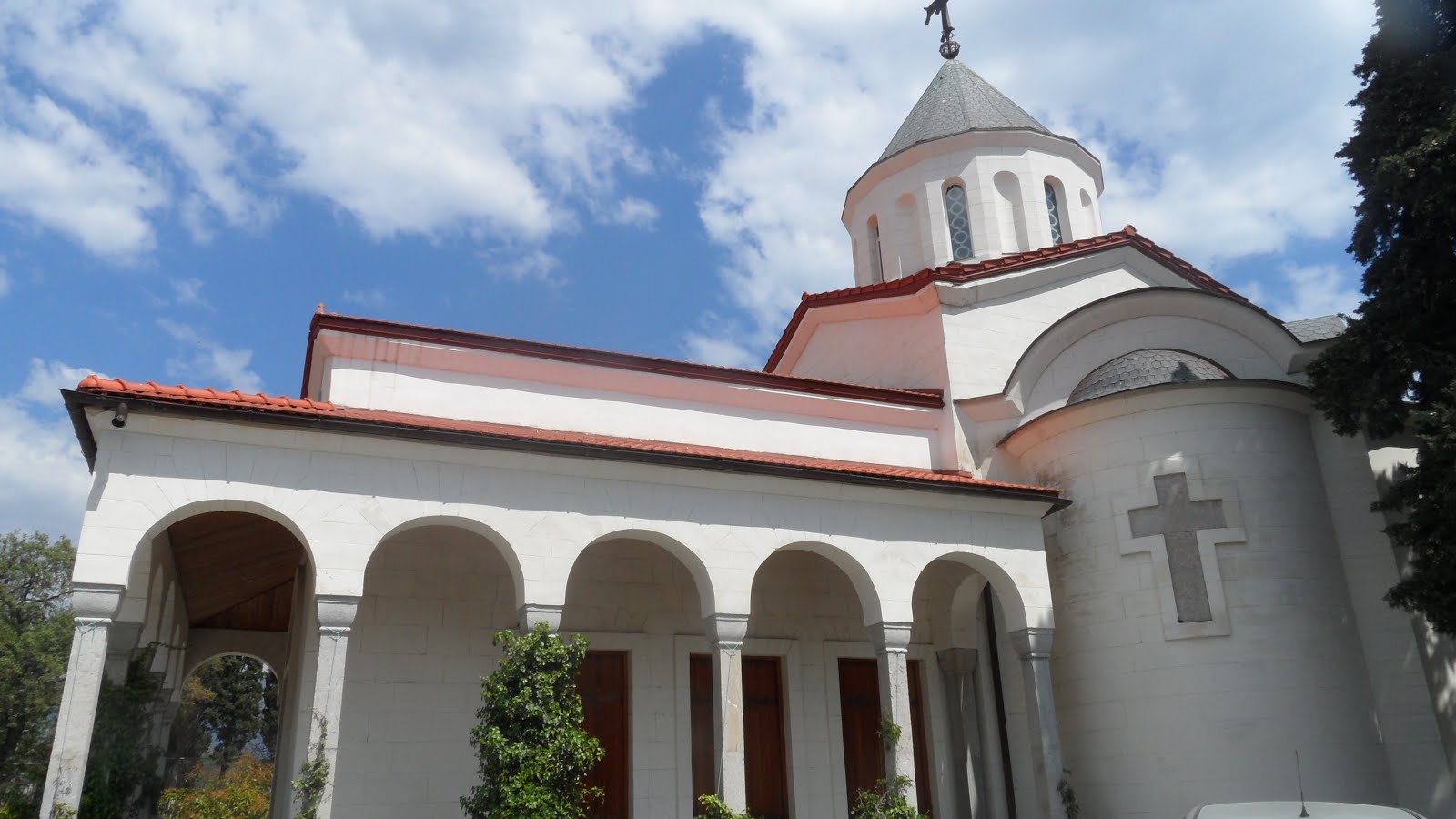
Near this resort there's a church. A priest who serves there is famous in Crimea. He writes theological and philosophical books. Also he is known, because he doesn't require payments for his wedding and memorial services.
After visiting Resort's park there was a concert of church choir music. As I barely could withstand this, I spent this time walking in the park, which looked lovely.
We were going back to the bus along the same pathway. The pathway is called "Sunny path" and to justify this name, sundial was placed near the path. However, it never shows true time and serves only as decorative element.
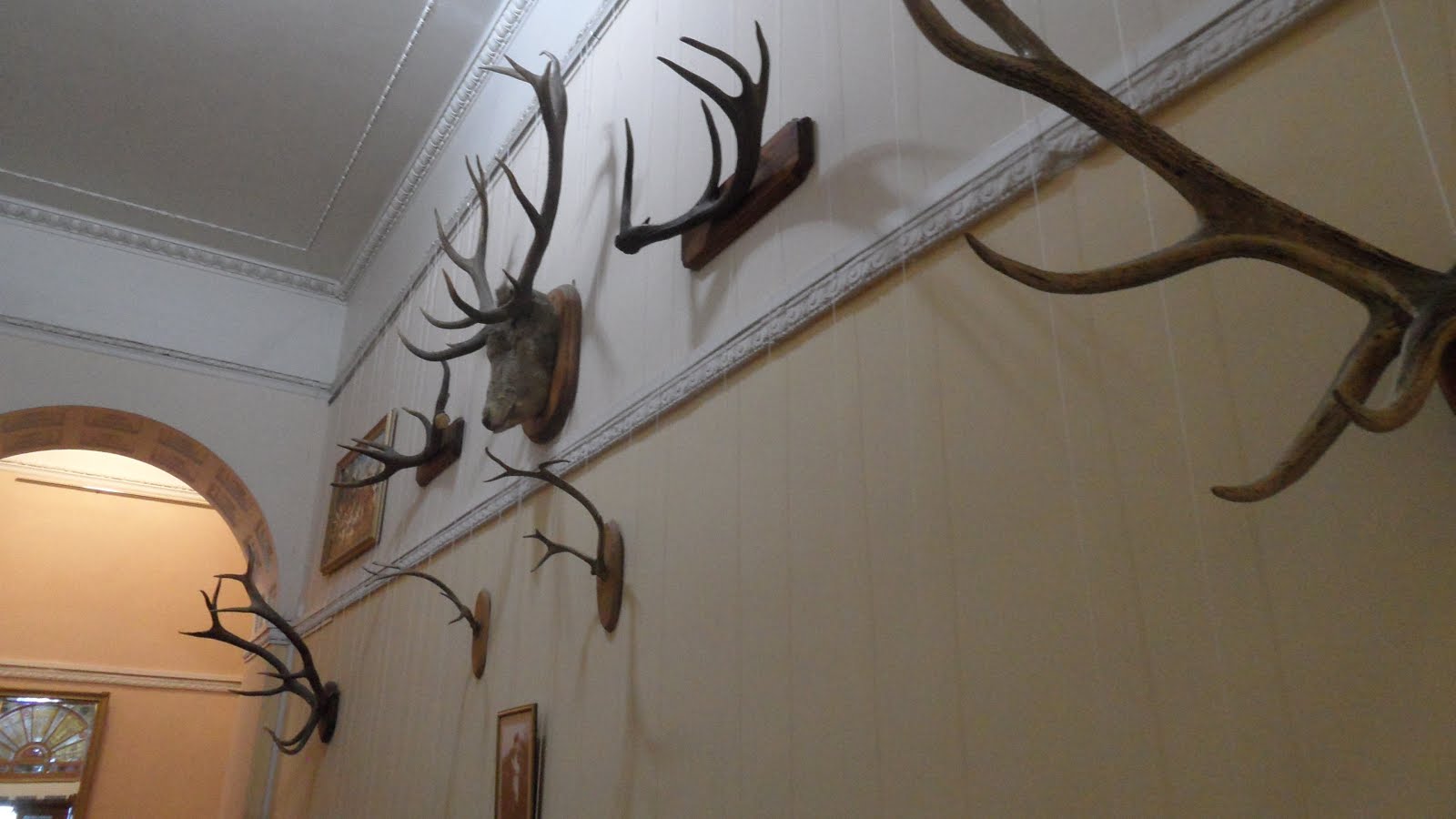
In the evening I forgot a packet with food in the bus, so I had to go walking, searching for a cafe. I've walked along the beach, but all cafes there were still closed or were not very attractive. Finally I've chosen one with adequate prices and interesting interior - guns, steering wheels, bear's skins. Food was delicious, but music was awful. As it was live music, they even included some margin for it in the bill. It wasn't high, but I'd prefer to pay it to these musicians for silence, not for their music.
 

Day 4. Vorontsov Palace. Swallow's Nest. Yalta.

After breakfast we were going to the Vorontsov Palace. In the road the guide talked us about count Vorontsov. It was one of the richest russians of his time. But unlike modern Russian thiefs oligarhs, he spent a lot of own money on the state business - he built roads and developed cities.  When after battle he lost most of his 9000 soldiers, he rebuilt one of his estates into the hospital and all of his remaining wounded soldiers were nursed there. When they recovered, he paid them significant rewards and gave everyone a fur coat (it was in winter). He has even sold another estate to cover the costs of carousing hussars in Paris  when our troops were leaving it after first Patriotic War...
In any case, his palace is great. It looks like a Medieval castle, and is made from semiprecious material. And of course, white lions are majestic. There's an English park beyond his palace, with pounds, swans and so on… It's evident that this palace was created by one of the richest man in Russian Empire. They say, Nikolay I was angry when saw this palace, as it was more beautiful than his own palaces. But the next morning he pardoned Vorontsov and asked him to oversee the building of Emperor palace nearby (Livadia palace). By the way, Vorontsov Palace was Churchill's residence during Yalta conference. It's not a big surprise, as this place resembles European castles.
After the palace we went to the Swallow's Nest. This castle was sold several times. His last owner before the Revolution was some merchant, who wanted to make a restaurant there. In Soviet era, the castle was in pity state. It needed reconstruction. Some works were made in the mid of the century, and it was transformed into museum. Several films were shot there, including "Ten Little Niggers". Ukrainian government leased this palace to Italian company, who tried opened restaurant. They didn't know the history. After several years Ukrainian president voided the contract and turned palace into museum again. He even repaired it for state's money. They say he wanted to privatize the palace, but didn't have time to finish with his plans, as Maidan has happened. Now it's a museum again.
From Swallow's Nest we went by small ship to Yalta. In Yalta we had some free time. I even managed to have a decent dinner there for ~ 2 euro. While walking along the seafront, I've seen several concerts - they were held on the stages under clear sky. There were a lot of publice there. Some of them tried to get their money, lending different exotic personal vehicles, forcing you to take a picture with their animals or playing violins. Lively place. I was fond of several pairs of old men, playing chess on the benches. A man managed to do check-mate in 6 moves from situation, which didn't foretell it in any way. 
In the evening I walked from the hotel in the direction opposite to the city center. Saw several pictures in Stalker style - abandoned children recreation centers, rusty satellite antennas, abandoned wagons…

Day 5. Genoese fortress. Vine plant.

At 7 o'clock we left for Sudak. During our way guide talked about Alans, Greeks, Genoeses, Tatars, Turks and other nationalities, living in Crimea in different times. She even read some poems. Churches and mosques were seen along our way. In 1945 a lot of tatars were deported from these lands, and all original titles were changed in one night. So town names like Perevalnoe, Svetloe, Pionerskoe appeared. The Tatars in awful conditions, in goods wagons, were transferred to Kazakhstan.
Sometimes we see monuments to partizans. They created a lot of troubles for fascists, but also often died. Germans burned and cut down forest, trying to secure roads for their transports, but everything was in vain.
First event for today is Genoese fortress. However, earlier it was Byzantine fortress, and before this it was Alanian fortress. Looks great. The spirit of the place a bit resembles Tanais ruins. I'd gladly walked here for half a day, but we have only one hour. Almost whole or well reconstructed towers, walls,  battlements. Hipster-style guide gives us brief information about different fortifications in the fortress. There is an interesting building in the fortress. It's a mosque, which was built by Turks, who one day came here. When they left, it became Catholic church. Later it was used as sinagoga by local Jews. This holy place now is a museum. You should appreciate that internal area of the fortress housed a small city. There were not enough Genoeses here to defend such big fortress, so during hard times either militia was used, or people have to live the fortress and the city and hide in the forest.
Next stop is vine cellars of "Solnechnaya Dolina" vine plant. The plant produces a lot of vines, and we are told how vine is made. They say, the cost of one oak barrel for vine is about 1000 euros. If it's just cost of empty barrel, how much will full barrel cost? The cellars were founded in the end of  XIX century by Golitsyn, but changed their owners rather often.  Local people managed to steal vine, using ventilation holes, so in middle of the century they were locked with bars.  The cellars successfully survived WWII, because one of the German high officers liked winemaking and wanted to grab the plant, but you know the history. Now plant produces a lot of vines, the main brands include "Black doctor" and "Black colonel". I wanted to get "Black doctor", as my friend liked his cheap replica, but it costed as 4-5 bottles of Abkhazian wines, so I stopped on portvein, which was cheaper.
As I forgot to buy any food during the day, I have to buy "Snickers" for the cost of the second course in the canteen where I usually eat. Another impressions on the ferry are related to the ferryboat itself. It looks grandiosely. It was interesting that ferryboat does two turns during its way so that it lands with its back part…

Epilogue

There were a lot of impressions, and most of them were positive. I saw that this region is developing with great speed. From several conversations I found out that people expect that a lot of funding will come from Moscow after 2018, when World Championship will be over and Kerch strait bridge will be finished. Of course, this bridge is a necessity, as crossing strait on the ferry takes too much time.
I still haven't seen a lot in Crimea, and I'd like to go back and visit Sevastopol and Bakhchysarai, to spend several days on the sea shore.
If you decide to go there, don't forget that for now it seems only MTS mobile services work there. Also several men in our group had issues with their credit cards, so don't forget to get cash. Luckily, you'll not need a lot of money there.

вторник, 29 марта 2016 г.

Converting "linked images" zones to non-linked

A while ago we introduced "nlipkg" zone brand in OI to create "non-linked" images. OmniOS uses ipkg as non-linked brand by default and has additional "lipkg" brand for linked images. Briefly speaking, when you deal with linked images, global zone's IPS knows a lot about zones, can work with them (for example, you can update all zones in one step with "pkg update -r") and imposes some restrictions on child images. Zone's brand is recorded in /etc/zones/zonename.xml and can be changed manually or using zonecfg. As ipkg and nlipkg zones are rather similar (in fact, they are distinguished only in name and IPS checks in some places on which brand it's operating, but for these two brands zone brand scripts are the same). So, when you are bugged with IPS checks for linked images, you can try to change zone's brand from ipkg to nlipkg. This even can work. The only issue is that it doesn't always work. Sometimes you still receive irritating messages like
pkg install: Invalid child image publisher configuration.  Child image publisher
configuration must be a superset of the parent image publisher configuration.
Please update the child publisher configuration to match the parent.  If the
child image is a zone this can be done automatically by detaching and
attaching the zone.

The parent image has the following enabled publishers:
    PUBLISHER 0: openindiana.org (non-sticky)
    PUBLISHER 1: userland (non-sticky)
    PUBLISHER 2: hipster-encumbered

The child image has the following enabled publishers:
    PUBLISHER 0: openindiana.org (non-sticky)
    PUBLISHER 1: hipster-encumbered
Even for nlipkg-branded zones. The issue is that inside zone IPS knows nothing about zone's brand. Its logic is always the same. The only thing which it checks for are files in /var/pkg/linked directory. These files are usually created on pkg operations initiated from GZ (the same pkg update -r) and contain information about parent image (read - GZ). When you change zone's brand, they will not disappear, and IPS inside zone will still think that it works with linked image. Luckily, to convince it that it's not true, it's enough to do "rm -fr /var/pkg/linked". Then this condition will make IPS happy. So, long story short - don't forget to remove /var/pkg/linked if you convert zone from ipkg to nlipkg brand.

вторник, 22 декабря 2015 г.

Bye-bye, sysidtool, hello sysding

Often you want to have some simple tool to configure basic system settings after installation, such as ip settings, time zone settings, locales and so on. More important, installer also sometimes needs similar utility, which would run on first boot and initialize basic system parameters. For example, OmniOS runs /.initialboot script on the first boot. Solaris historically had sysidtool service, which read /etc/sysidcfg file and used it to configure zones or base system. Sysidtool also had ncurses-based interface to perform basic zone configuration.
The disadvantage of sysidtool is that it is a closed source tool, and you cannot fix it if you want it to do a bit more. So, we switched to sysding in OpenIndiana Hipster.
Sysding was originally written by Olaf Bohlen (Agnar at #oi-dev) to configure multiple illumos/Solaris zones. It doesn't have interactive interface, but has a set of utility functions to write configuration scripts. File /etc/sysding.conf is a simple ksh script, sourced by /lib/svc/method/sysding on . /lib/svc/method/sysding predefines some useful functions which can be necessary for initial configuration. Sample configuration file can look like
setup_timezone Europe/Moscow
setup_locale en_US.UTF-8
setup_user_password root '$5$+Fu+utqXFqU=$RD2LbFipqwKc2srNFYnVkda9U6K2pmMajvuR3iyHzR'
setup_interface PRIMARY v4 192.168.1.4/24
setup_route default 192.168.1.1
setup_ns_dns "stud.lan" "stud.lan notebook.lan" "8.8.8.8"

Using it, sysding will set timezone, locale, root password, network settings on first boot and reboot zone (or NGZ), because /etc/default/init was changed. It also cares about setting root password to 'NP' at first boot in zone if it's empty and you haven't specified one. Without this you wouldn't be able to "zlogin" to the zone. It can do a bit more. If you are interested, look at /lib/svc/method/sysding . If you want to have some customizations for your environment, create pull requests against https://github.com/OpenIndiana/sysding/, but don't forget two things: test your changes thoroughly and keep in mind that sysding was created to be a simple configuration tool.

среда, 7 октября 2015 г.

Userland incorporation in OpenIndiana Hipster and what does it mean for developer

Last Sunday we've published userland incorporation to /hipster-2015 repository. This was a feature long asked for by several users. It is generated by Jenkins on the build host and forces all packages generated by oi-userland build (excluding illumos-gate-provided packages and kvm) to be the latest. As we publish this incorporation on each oi-userland rebuild, you can force your system to go to specific point in the future. For example:

$ pkg list -avf pkg://openindiana.org/consolidation/userland/userland-incorporation
FMRI                                                                         IFO
pkg://openindiana.org/consolidation/userland/userland-incorporation@0.5.11-2015.0.2.0:20151006T203007Z ---
pkg://openindiana.org/consolidation/userland/userland-incorporation@0.5.11-2015.0.2.0:20151005T203207Z ---
pkg://openindiana.org/consolidation/userland/userland-incorporation@0.5.11-2015.0.2.0:20151004T163056Z i--
pkg://openindiana.org/consolidation/userland/userland-incorporation@0.5.11-2015.0.2.0:20151004T150924Z ---
pkg://openindiana.org/consolidation/userland/userland-incorporation@0.5.11-2015.0.2.0:20151004T132353Z ---
pkg://openindiana.org/consolidation/userland/userland-incorporation@0.5.11-2015.0.2.0:20151004T122350Z ---
pkg://openindiana.org/consolidation/userland/userland-incorporation@0.5.11-2015.0.2.0:20151004T095518Z ---
....

We can see that this system has incorporation with  20151004T163056Z  timestamp installed and two more recent versions are available. So I can do something like:
$ sudo pkg update -v \
pkg://openindiana.org/consolidation/userland/userland-incorporation@0.5.11-2015.0.2.0:20151005T203207Z

to move to the 5th October  package versions.

Why developers doesn't like incorporations (and IPS generally)? Because it doesn't allow you to do what you want with your system. For example, you can't install another package version.
In case of userland incorporation, you have some freedom. You can just uninstall it (and entire, as entire depends on userland-incorporation). But you can get issues during new zone setup if your NGZ misses entire. So, you have three options:
  • stay with old entire, which doesn't depend on userland-incorporation (pkg freeze it);
  • uninstall entire and userland-incorporation;
  • use facets to relax incorporate dependencies.

Let's look on the last option more attentively. For example, I'm going to experiment with new mesa. But userland-incorporation has the following dependency:
$ pkg contents -m userland-incorporation |grep mesa
depend facet.version-lock.x11/library/mesa=true fmri=x11/library/mesa@10.5.9,5.11-2015.0.1.0:20150927T212600Z type=incorporate


As you see, it is marked by facet. So you can do
$ sudo pkg facet facet.version-lock.x11/library/mesa
FACET                                                            VALUE SRC
version-lock.x11/library/mesa                                    True  system
$ sudo pkg change-facet facet.version-lock.x11/library/mesa=false
$ sudo pkg install pkg://userland/x11/library/mesa
$ sudo pkg info mesa
             Name: x11/library/mesa
          Summary: The Mesa 3-D Graphics Library
         Category: System/X11
            State: Installed
        Publisher: userland
          Version: 11.0.2
           Branch: 2015.0.1.0
   Packaging Date: October  7, 2015 03:00:58 PM
Last Install Time: October  7, 2015 06:49:24 PM
             Size: 34.82 MB
             FMRI: pkg://userland/x11/library/mesa@11.0.2-2015.0.1.0:20151007T150058Z
      Project URL: http://www.mesa3d.org/
       Source URL: ftp://ftp.freedesktop.org/pub/mesa/11.0.2/mesa-11.0.2.tar.xz
But beware, if you would like to change facet back, you can't do it:
$ sudo pkg change-facet version-lock.x11/library/mesa=true
Creating Plan (Solver setup): /
pkg change-facet: Package entire must be uninstalled before the requested operation can be performed.
  Reject:  pkg://openindiana.org/entire@0.5.11-2015.0.2.1:20151003T221212Z
  Reason:  No version matching 'require' dependency consolidation/userland/userland-incorporation can be installed
Package x11/server/xorg/driver/xorg-video-ati must be uninstalled before the requested operation can be performed.
  Reject:  pkg://openindiana.org/x11/server/xorg/driver/xorg-video-ati@6.14.6-2015.0.1.0:20150927T212825Z
  Reason:  No version matching 'require' dependency x11/server/xorg@1.14.7-2015.0.1.0 can be installed
    ----------------------------------------
    Reject:  pkg://openindiana.org/x11/server/xorg@1.14.7-2015.0.1.0:20150927T184317Z
    Reason:  No version matching 'optional' dependency x11/library/mesa@7.4.4-2014.1.3.0 can be installed
      ----------------------------------------
      Reject:  pkg://userland/x11/library/mesa@11.0.2-2015.0.1.0:20151007T150058Z
      Reason:  This version is excluded by installed incorporation consolidation/userland/userland-incorporation@0.5.11-2015.0.2.0
      ----------------------------------------
    ----------------------------------------

.....


Firstly, you have to install mesa version offered by openindiana.org publisher.
Update (2016-01-26). If you use your host as test station, it's easier just to uninstall userland-incorporation. Now you can do this without touching entire. Just do
$ sudo pkg change-facet facet.require.consolidation/userland/userland-incorporation=false
$ sudo pkg uninstall userland-incorporation

пятница, 2 октября 2015 г.

Don't think for me...

I really like OpenVZ and Proxmox. But what I hate is programs which try to think for me. For example, we have /var/lib/vz and subdirectories on ZFS. If by chance it was not mounted on system startup, OpenVZ creates subdirectories in /var/lib/vz/template. Next time ZFS filesystem containers/vz/template just will not be mounted on non-empty /var/lib/vz/template. And you discover it only during runtime. If OpenVZ just threw error on startup, it would be better. If ZFS just silently mounted filesystems over non-empty directories (as usual mount does), it would be better. But two subsystems try to think for me and make my life better. I hate programs being so smart...

четверг, 23 июля 2015 г.

On attaching zones and linked images

Recently updated IPS was added to OI and it caused some inconvenience to developers. The most annoying "feature" is caused by publisher check: NGZ first several publishers should be the same as GZ's publishers and their stickiness should match.
OK, I've set the publishers according to this rule, but today was surprised by fact that I can't longer set openindiana.org publisher to be non-sticky in NGZ. I've set openindiana.org publisher to non-sticky in GZ, NGZ, but still IPS complains on "pkg install":

pkg install: Invalid child image publisher configuration.  Child image publisher
configuration must be a superset of the parent image publisher configuration.
Please update the child publisher configuration to match the parent.  If the
child image is a zone this can be done automatically by detaching and
attaching the zone.

The parent image has the following enabled publishers:
    PUBLISHER 0: openindiana.org
    PUBLISHER 1: userland (non-sticky)

The child image has the following enabled publishers:
    PUBLISHER 0: openindiana.org (non-sticky)
    PUBLISHER 1: userland (non-sticky)
    PUBLISHER 2: hipster-encumbered

I've rechecked. Both GZ and NGZ had  openindiana.org publisher set to non-sticky.  I've followed IPS advice - detached and attached zone. And zone attach -u failed with the same error.

OK. Time for black magic. I've unset userland publisher. Set GZ and NGZ publisher list only  to openindiana.org (non-sticky). The same issue - IPS doesn't see that GZ publisher is non-sticky now. So, I concluded that  information about parent image is recorded or cached in some local zone configuration file. Looked at zone's /var/pkg and found /var/pkg/linked/linked_ppubs, which listed [["openindiana.org", true], [userland, false]]. I changed this file to [["openindiana.org", false]] and after that could attach zone.

I think I still doesn't understand as linked images work (or should work), but they are starting annoying me...

вторник, 31 марта 2015 г.

Hipster 2015.03 is here


We released our last snapshot ISO almost half a year ago. I believe, you want something new. You'll get it. New ISOs were just uploaded to dlc server. Let's see what has changed.

First of all, most evident changes were made in desktop area. We've updated Xorg server and libraries, which allowed us to incorporate some important security fixes from Oracle x-s12-clone and Debian Xorg. Also we've moved much more closely to Gnome 2.32. Most packages were updated to this level, excluding packages which either have a lot of specific patches (like gdm) or just dropped some significant functionality (like cheese, which dropped HAL support in version 2.32). Not everything has gone smoothly. We had to drop trusted desktop support during update. I believe nobody seriously used it under OI. The most annoying thing is that updated Xorg and Intel driver require some DRM updates, which are still not ready. So, if you have Intel video card, either pkg freeze X-incorporation and xorg, or use vesa driver.

General system changes

All Sun Studio-compiled C++ libraries were removed from the system. The libraries were published in their current form to http://dlc.openindiana.org/c++-libs/, so you can grub necessary libraries and LD_PRELOAD them or use in alternative path if necessary. All X/g++/Y packages are renamed to X/Y and moved from /usr/g++ to /usr. We continue delivering system/library/c++/sunpro for the foreseeable future.
Text installer was changed to install OI on EFI-labeled disk by default. Note, in this case the entire disk is erased. If you want to install OI on MBR-labeled disk, choose partitioned install.

Desktop software and libraries

  • A lot of desktop libraries were updated
    • GTK2 is updated to 2.24.27
    • libdrm is updated to 2.4.58
    • libX11 is updated to 1.6.2, xcb support is enabled in libX11
    • xf86-video-ati driver updated to 6.4.16
    • nvidia proprietary driver was updated to 340.76
    • Mesa is updated to 10.5.1
    • Xorg is updated to 1.12.4. This requires updating xorg drivers and modules. OI-shipped modules will be updated automatically, but if you use VirtualBox, you'll have to update your guest additions to at least 4.3.22 version.
    • Glib2 is updated to 2.43.4
  • Enlightenment 0.19.3 is added as alternative desktop environment
  • fontconfig was updated to 2.11.1
  • libid3tag and libmtp were imported from SFE, gmtp is added
  • rdesktop is updated to 1.8.3
  • transmission is updated to 2.52
  • XScreensaver is updated to 5.32
  • gnome-commander is updated to 1.4.5
  • QT 4.8.6 is added
  • emacs is updated to 24.3
  • Input Method Selector was added from upstream input-method gate. Bug in svc:/application/desktop-cache/input-method-cache:default service preventing correct input methods functioning in recent OI was fixed. In fact, gtk input modules cache was moved from /etc/(amd64/)gtk-2.0/gtk.immodules to /usr/lib/(amd64/)gtk-2.0/2.10.0/immodules.cache and service has to regenerate these cache files in new locations . So, after update you can safely remove /etc/(amd64/)gtk-2.0/gtk.immodules.

Development tools

  • Subversion is updated to 1.7.19
  • SQLite is updated to 3.8.8.3
  • Python 3.4 is updated to 3.4.3
  • Binutils are updated to 2.25
  • OpenBLAS 0.2.13 is added
  • Mercurial is updated to 3.3
  • Ruby 1.9.3 is added
  • Ruby 1.8 is marked obsolete, all OI software is switched to Ruby 1.9.3
  • Ruby 2.2.1 is added
  • Curl is updated to 7.39
  • libncurses.so links are moved to /usr/lib(/amd64)
  • gawk is updated to 4.0.2, this fixes issues with pkgsrc bootstrap
  • MPICH is updated to 3.1.3
  • Sun Studio indent in /usr/bin was replaced by GNU indent. Old one is preserved in /opt/sunstudio12.1/prod/bin/indent

Server software

  • A lot of packages were updated, including apache 2.4, php 5.4, php 5.5, postgresql 9.3, samba 3.6, mariadb 5.5
  • PostgreSQL 9.4 is added
  • PostgreSQL 8.4 is marked obsolete
  • ISC dhcp server is updated to 4.2.7
  • BIND DNS server is updated to 9.9.6-P2
  • rsyslog is updated to 7.4.10
  • NTP is updated to 4.2.8p1

As always, we are proud to deliver to you latest illumos-gate bits.

There's also a lot of security fixes and small bug fixes.

Of course, I had more ideas than spare time, so some of them were not implemented. We still don't have PHP 5.6 and our OpenOffice package still doesn't work with XML-based document formats. I've looked at replacing cpp with one based on Schilix version, but unfortunately I found it to be not always compatible with Sun cpp. So, I've chosen preserve the status quo and we still deliver Sun cpp. I still would like to see postfix as first class MTA in OI.

I'd like to share some more ideas, which attract me now. First of all, we consider further updating of Xorg and other former xnv components (libXfont, freetype). GCC update is also on the roadmap. Our old samba and cups versions, dependency on python 2.6 and ageing Perl 5.16 make me sad.  Of course, I'd like to see PHP 5.6 in oi-userland and perhaps even look at hhvm.